Crop Image Online
Crop an image freely or to a fixed shape such as square or 16:9. Drag the box or its corners; it works with touch too.
- Free, no signup
- Files stay on your device
- No watermark
See it in action
A landscape photo cropped to a square (1:1) around the crystal ball.
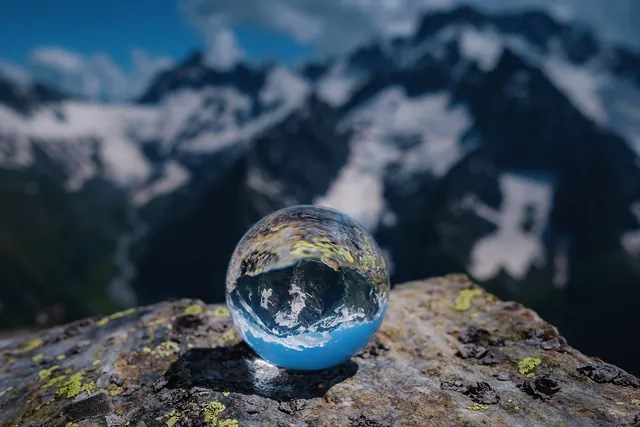
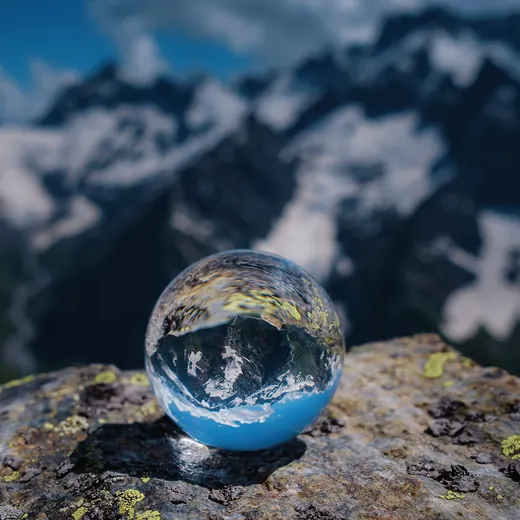
- 78% smaller
- 2,000 × 1,333 → 1,333 × 1,333 px
Actual output of this tool, measured on 16 October 2026. Sample image used under licence.
How to use it
- Add an image.
- Pick a ratio or Free, then drag the box and its corners.
- Optionally rotate or flip, then press Crop and download.
What Crop Image does
Cuts the image to the area you select. Nothing changes until you export, and you can reset at any time.
When to use it
- Removing unwanted edges or background.
- Making a square profile picture.
- Fitting a photo to a 16:9 slide or 9:16 story.
Good to know
- The export keeps the original format where possible: PNG stays PNG, JPG stays JPG (re-encoded at quality 92), and WebP stays WebP where supported.
- Exact pixel values are shown, so you can see the size of the result before exporting.
Privacy
Your files are processed inside your browser and not uploaded to any server. Closing or refreshing the page clears them. We don’t keep copies.
Limitations
- One image at a time.
- Up to 50 MB.
Frequently asked questions
Can I crop to exact pixels?
Yes: the box shows its size in pixels as you drag. For an exact final size, crop to the right ratio, then use Resize Image.
Which aspect ratios are available?
Free crop plus 1:1, 4:5, 4:3, 3:2, 16:9, 9:16 and the original ratio.
Can I rotate or flip while cropping?
Yes. Rotate 90° left or right, and flip horizontally or vertically, before you crop.
Does cropping reduce quality?
Cropping only removes the area outside the box. The remaining pixels aren’t resized.