JPG to PNG Converter
Convert JPG or JPEG images to PNG. Dimensions and orientation are preserved, and you can convert a whole batch at once.
- Free, no signup
- Files stay on your device
- No watermark
See it in action
A photo of colourful paper-quilling art, converted from JPG to PNG.
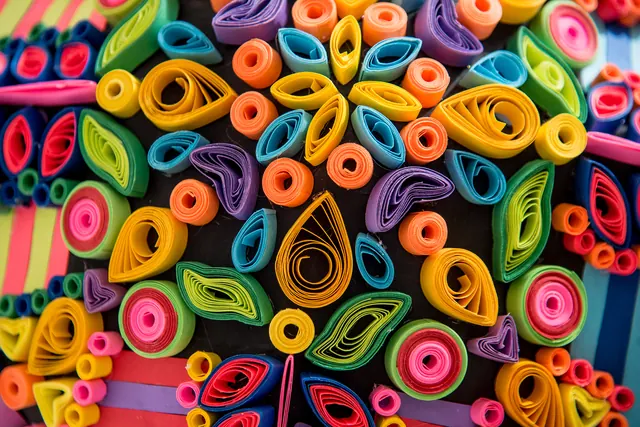
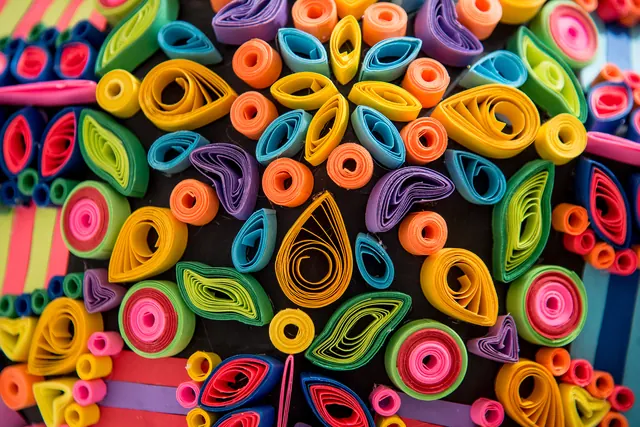
- Same 2,000 × 1,335 pixels
PNG stores every pixel without loss, so it is larger than the JPG. That is expected: PNG is the format for editing, not for sharing photos.
Actual output of this tool, measured on 16 October 2026. Sample image used under licence.
How to use it
- Drop your JPG files in, or choose them.
- Press Convert.
- Download each PNG, or all of them as a ZIP.
What JPG to PNG does
Re-saves each JPG as a PNG file, pixel for pixel. PNG is lossless, so nothing further is lost when you edit and save the PNG again later.
When to use it
- A website or app only accepts PNG uploads.
- You want to edit an image repeatedly without adding more JPG compression each time.
- You need a PNG to add transparency to in another editor.
Good to know
- Converting can’t undo JPG compression already in the photo; the PNG is an exact copy of what the JPG shows.
- PNG files of photos are usually 3–10× larger than the JPG.
- JPG has no transparency, so the PNG is fully opaque. We don’t invent a transparent background.
- Camera rotation (EXIF orientation) is applied, so the PNG appears the right way up. EXIF metadata such as location is not copied.
JPG vs PNG in one minute
JPG uses lossy compression made for photos; PNG is lossless and supports transparency. That makes PNG better for graphics and editing, and JPG better for sharing photos. More in JPG vs PNG vs WebP: Which Image Format Should You Use?.
Why the PNG is bigger, and when it’s still worth it
The PNG stores every pixel exactly, including the noise and blockiness left by the JPG’s compression, so a photo’s PNG is typically 3–10× larger, and it looks no better: detail the JPG discarded can’t come back. Converting is still worth it when a site or app only accepts PNG, when you’ll edit and re-save the image many times and want to avoid adding more JPG loss, or when you plan to add transparency in an editor. If the PNG is too large, try Compress PNG, or keep the photo as a JPG.
After converting
Shrink the PNG with Compress PNG, change its dimensions with Resize Image, or strip hidden location data first with Remove Metadata.
Privacy
Your files are processed inside your browser and not uploaded to any server. Closing or refreshing the page clears them. We don’t keep copies.
Limitations
- Up to 10 files per batch, 50 MB each.
- Very large photos (over about 16 megapixels) may fail on some phones; you’ll see a clear message if so.
Frequently asked questions
Does converting JPG to PNG improve quality?
No. The PNG is an exact copy of the JPG’s pixels. It stops further loss when you edit and re-save, but it can’t remove compression that is already there.
Why is the PNG so much bigger?
PNG stores every pixel without lossy compression, while JPG discards detail you are unlikely to notice. For photos, that makes PNG several times larger. If size matters, use Compress PNG afterwards.
Will the PNG have a transparent background?
No. A JPG has no transparency information, so the PNG keeps the same solid background.
Can I convert several JPGs at once?
Yes, up to 10 files per batch, 50 MB each. Download each PNG separately or all of them as a ZIP.