PNG to WebP Converter
Convert PNG images to WebP and keep their transparency, usually at a fraction of the file size.
- Free, no signup
- Files stay on your device
- No watermark
See it in action
A transparent perfume-bottle PNG, converted to WebP.
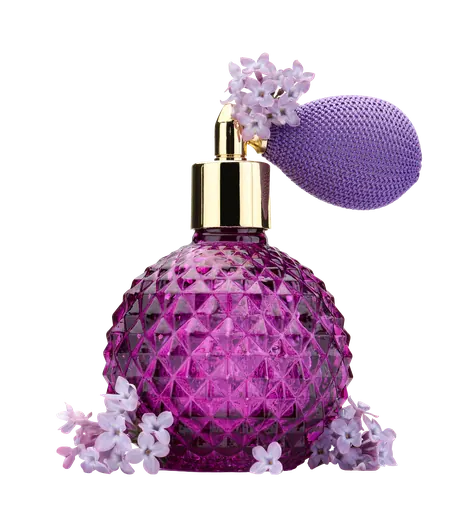
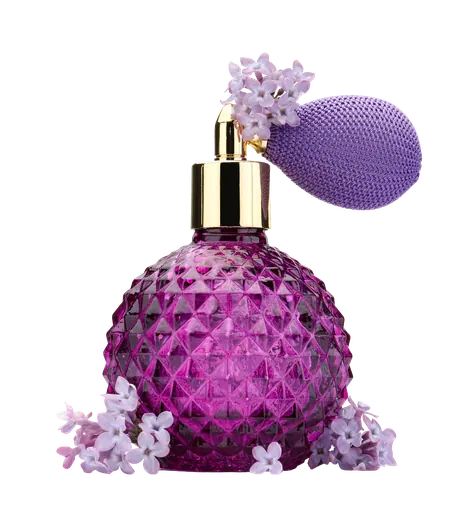
- 87% smaller
- Same 2,000 × 2,200 pixels
- Transparency kept
The transparent background is kept, at a fraction of the PNG size.
Actual output of this tool, measured on 16 October 2026. Sample image used under licence.
How to use it
- Add your PNGs.
- Choose a quality.
- Convert, compare the sizes, and download.
What PNG to WebP does
Re-encodes each PNG as a WebP at the quality you choose. Transparent areas stay transparent, and each result shows the size before and after.
When to use it
- Logos, icons and product cut-outs that should load faster on a website.
- Large PNG screenshots or illustrations on a web page.
- Cutting page weight while keeping transparency.
Good to know
- Transparency is kept, including soft edges.
- WebP is created with lossy compression at your chosen quality. Savings depend on the image: photo-like PNGs and large graphics often shrink a lot, while small or already optimized PNGs may barely change. If the WebP isn’t smaller, the result tells you.
- Creating WebP depends on your browser. The tool checks for support before converting, and tells you if this browser can’t create WebP.
Which quality to pick
At 90, text, sharp edges and gradients usually look the same as in the PNG. At 75–80, files get smaller and you may see slight softness around fine lines or small lettering. Check the preview before downloading graphics that contain text.
When to keep the PNG
Keep the PNG when you need an exact master to edit later, when the file is going to print or to software that doesn’t accept WebP, or when it’s a small icon that WebP can’t meaningfully shrink. For photos without transparency, JPG to WebP from the original JPG usually gives the smallest file.
Privacy
Your files are processed inside your browser and not uploaded to any server. Closing or refreshing the page clears them. We don’t keep copies.
Limitations
- Up to 10 files per batch, 50 MB each.
Frequently asked questions
Does WebP keep transparency?
Yes. WebP supports a full alpha channel, so transparent and semi-transparent areas are kept.
Can every browser display WebP?
All current major browsers display WebP. Some older apps and email clients don’t, so keep the PNG for those.
Is the WebP lossless?
The conversion uses lossy WebP at high quality (92 by default), which keeps graphics and photos looking the same at a fraction of the PNG size. Keep the PNG if you need an exact pixel copy.
How much smaller will it be?
Often dramatically. In our example a 3.4 MB transparent PNG became a 463 KB WebP, with the transparency kept.