Image Color Picker (HEX, RGB, HSL)
Click or tap anywhere on an image to get its exact color in HEX, RGB and HSL, plus a palette of the image’s main colors.
- Free, no signup
- Files stay on your device
- No watermark
See it in action
Main colours picked from a photo of paper-quilling art.
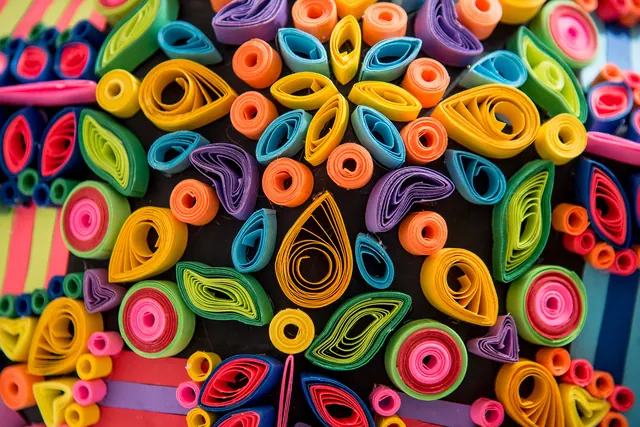
Main colours in this photo
#F2A831#87AA63#966B45#D02D37#5D2E34#0F161D
- HEX, RGB and HSL for every colour
- Copy with one click
Actual output of this tool, measured on 16 October 2026. Sample image used under licence.
How to use it
- Add an image.
- Click or tap a point; use the magnifier for precision.
- Copy the value you need.
What Image Color Picker does
Reads the color of the exact pixel you click or tap, shows it as HEX, RGB and HSL, and suggests a palette of the image’s main colors.
When to use it
- Matching a brand color from a logo or screenshot.
- Choosing text or button colors that suit a photo.
- Checking what color a background really is before replacing it.
Good to know
- A magnifier shows the pixels around your pointer, so you can land on the exact one you want.
- Values are read in sRGB, as your browser displays the image. Images with other embedded color profiles may read slightly differently from design software.
- The palette is an approximation of the dominant colors, not an exact count.
HEX, RGB or HSL?
HEX (#1D5E4A) is the compact form used in CSS, design tools and brand guidelines. RGB (29, 94, 74) gives the amounts of red, green and blue from 0 to 255, which many apps ask for. HSL (hsl(162, 53%, 24%)) describes hue, saturation and lightness, which makes it easy to get a lighter or darker shade of the same color by changing only the last number.
Why neighbouring pixels differ
In JPG photos, compression and camera noise mean that an area which looks flat is made of slightly different colors, so two clicks a pixel apart can give #3A6F8F and #3B6E90. For a logo color, click in the middle of a flat area, away from edges, which blend into the background. A PNG original gives cleaner values than a JPG copy.
Privacy
Your files are processed inside your browser and not uploaded to any server. Closing or refreshing the page clears them. We don’t keep copies.
Limitations
- One image at a time.
Frequently asked questions
Why doesn’t the color match my design file?
Usually because of a color profile difference or JPG compression. Pick from the original file if you can, and avoid edges.
Can I copy the values?
Yes. HEX, RGB and HSL each have a copy button.
Which color formats do I get?
Every picked color is shown as HEX, RGB and HSL, ready to copy into CSS, design apps or documents.
Which images can I pick from?
JPG, PNG and WebP images, including screenshots. You can also paste an image straight from your clipboard.