Compress PNG Images
Make PNG files smaller while keeping transparency. Choose how many colors to keep, or re-save without any loss.
- Free, no signup
- Files stay on your device
- No watermark
See it in action
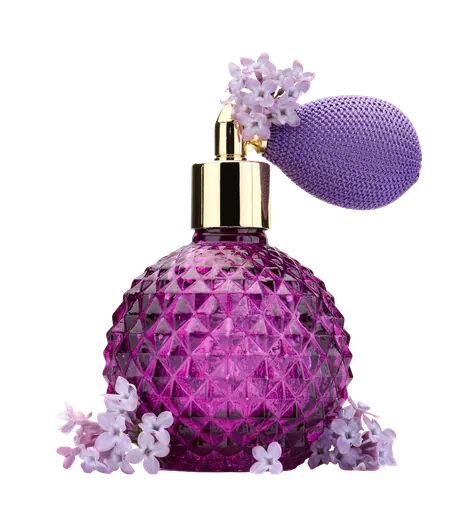
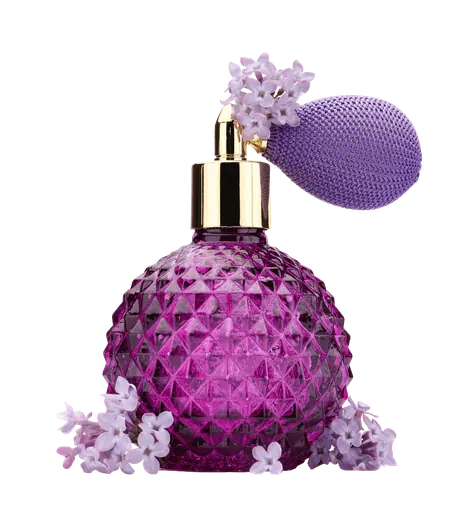
A transparent product PNG of a perfume bottle.
Zoomed to 100%: the same spot before and after
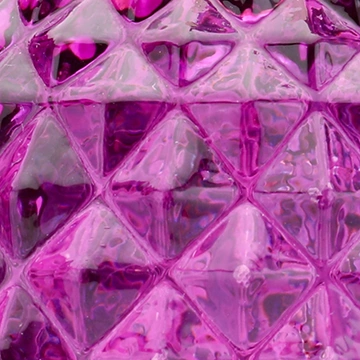
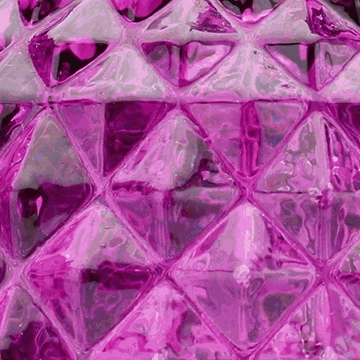
- 75% smaller
- Same 2,000 × 2,200 pixels
- Transparency kept
Actual output of this tool, measured on 16 October 2026. Sample image used under licence.
How to use it
- Add your PNGs.
- Choose 256, 128 or 64 colors, or Lossless.
- Compress, compare, and download.
What Compress PNG does
In palette mode, each PNG is reduced to up to 256, 128 or 64 carefully chosen colors and saved as an indexed PNG, which is often 50–80% smaller. Lossless mode removes metadata only, so pixels and bit depth stay exactly the same.
When to use it
- Logos, icons, screenshots and illustrations that are too large.
- Transparent graphics for websites that must stay PNG.
Good to know
- Palette mode is lossy, but for graphics with limited colors the difference is usually invisible. Photos with smooth gradients can show banding; turn on dithering or use JPG/WebP instead.
- Lossless mode never changes pixels or bit depth; savings come only from removed metadata and are often small or zero.
- Transparency, including soft edges, is kept in both modes.
Privacy
Your files are processed inside your browser and not uploaded to any server. Closing or refreshing the page clears them. We don’t keep copies.
Limitations
- Up to 10 files per batch, 50 MB each.
- Palette mode works on images up to 40 megapixels.
Frequently asked questions
Is PNG compression lossless?
PNG’s own compression is lossless. Big savings come from reducing the number of colors, which is lossy. We label the two modes clearly.
Why does my photo look banded?
Photos have thousands of subtle colors; 256 isn’t always enough. Turn on dithering, or convert the photo to JPG or WebP.
What do 256, 128 and 64 colors mean?
They reduce the image to a palette of that many colors, which shrinks PNG files dramatically. Logos, icons and screenshots usually look identical at 256 colors. Photos and smooth gradients may show banding at lower counts, so choose Lossless for those.
Is the transparent background kept?
Yes. Transparent and semi-transparent areas stay transparent in every PNG mode, including the reduced-palette options.