Rotate & Flip Images
Rotate images 90° left or right or 180°, or mirror them. The preview shows the result before you download.
- Free, no signup
- Files stay on your device
- No watermark
See it in action
A sprinter photo flipped horizontally, so he runs the other way.
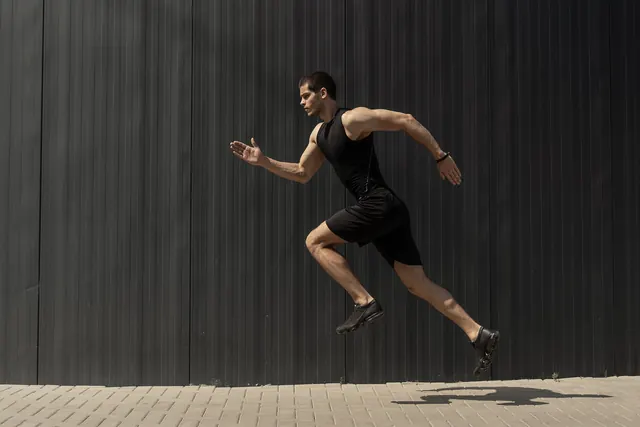
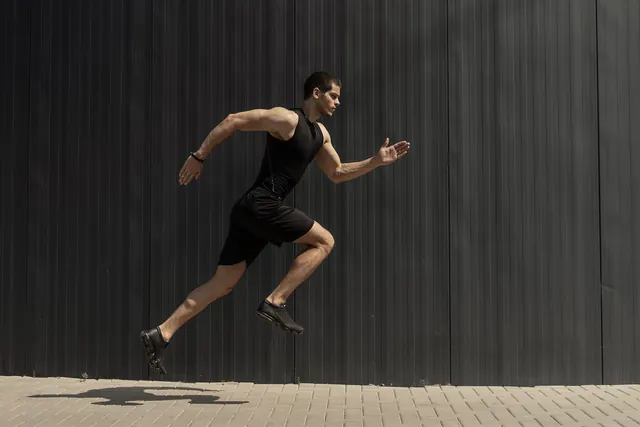
- 70% smaller
- Same 2,000 × 1,333 pixels
- Flipped horizontally, no quality loss
Actual output of this tool, measured on 16 October 2026. Sample image used under licence.
How to use it
- Add images.
- Choose a rotation, a flip, or both, and check the preview.
- Apply and download.
What Rotate & Flip does
Turns or mirrors the pixels of each image and saves it in the same format, so it displays the same way in every app.
When to use it
- A phone photo appears sideways in some apps or on a website.
- A scanned page went in upside down.
- Mirroring a selfie, or text that came out reversed.
Good to know
- Options: 90° left (the same as 270° clockwise), 90° right, 180°, flip horizontally and flip vertically. Rotation and flip can be combined.
- The camera’s orientation tag is applied first, so you start from the photo as you see it.
- A 90° turn swaps width and height; 180° and flips keep the dimensions.
- JPG and WebP are re-encoded at quality 92, which looks very close to the original but isn’t bit-identical. PNG stays lossless.
Why photos show sideways
Phones often save the picture in the sensor’s orientation and add an EXIF orientation tag telling apps how to turn it. Apps that ignore the tag show the photo sideways. Rotating here writes the pixels the right way round, and the saved copy doesn’t depend on that tag, so it looks right everywhere.
Next steps
Straightened a scan? Trim the edges with Crop Image. Need a smaller file for email? Continue with Compress Image. Making a PDF from photographed pages? Fix their orientation here, then use JPG to PDF.
Privacy
Your files are processed inside your browser and not uploaded to any server. Closing or refreshing the page clears them. We don’t keep copies.
Limitations
- Up to 10 files per batch, 50 MB each.
Frequently asked questions
Does rotating reduce quality?
Not for PNG. JPG and WebP are saved again at quality 92, which is very close to the original but adds a little compression, so avoid rotating the same JPG many times.
Is there a 270° option?
Yes. 90° left is the same as rotating 270° clockwise.
What’s the difference between rotating and flipping?
Rotating turns the whole image 90° or 180°. Flipping mirrors it: horizontally swaps left and right, vertically swaps top and bottom.
Can I rotate many images at once?
Yes. Add up to 10 images; the same rotation and flip are applied to all of them.