Free Image Converter & Compressor – Private, No Upload
Get your photos and documents accepted the first time. Convert, compress to an exact KB size, resize and crop on your own device. Nothing is uploaded and there’s no signup.

Your recent tools
Popular tools
Browse by category: Convert · Compress · Resize & Crop · Edit · PDF · AI Tools · All tools
AI image tools
Make small images bigger and sharper
The AI Image Upscaler enlarges photos and graphics 2× or 4×. Its artwork model keeps outlines crisp and colors flat in anime, cartoons and line art. Both are free, need no signup and run on your device.
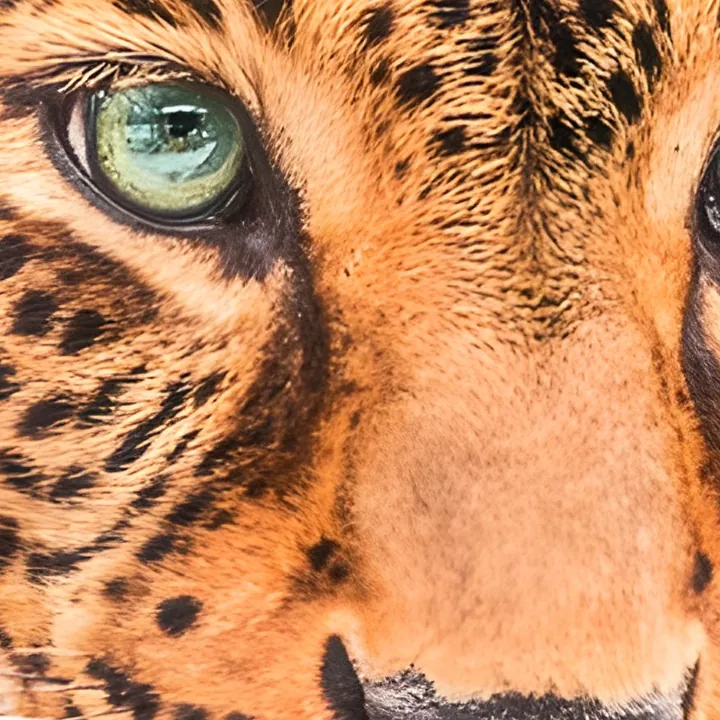
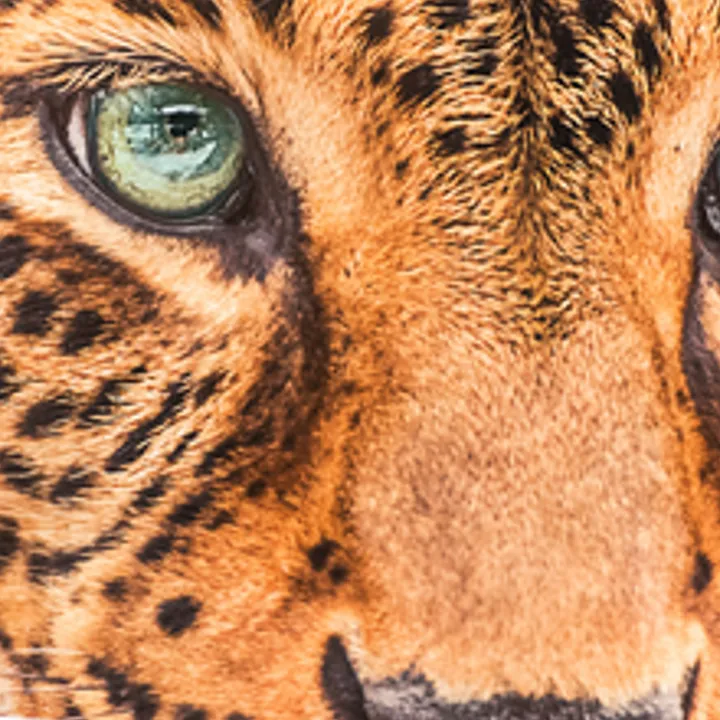


Drag the handle to compare. Both sides show the same 4× enlargement: standard resizing on the left, our AI on the right. These are real outputs, and the AI runs on your device, so nothing is uploaded.
Real results from real files
Every example below is the actual output of our tools, with the measured file sizes.
Application photos, right the first time
Visa and lottery portals reject photos for a few pixels or kilobytes. Our Photo Kit is set to the official file rules, checks each one, and never uploads your photo.
Open the Photo Kit- US Visa Photo (DS-160)Square 600 × 600 JPG, 240 KB or less
- DV Lottery PhotoExactly 600 × 600 JPG, 240 KB or less
- Works with iPhone photosHEIC in, compliant JPEG out
One place for everyday image jobs
JPGtoPNGNow handles the image jobs that come up every day: changing a format so a website accepts it, shrinking a file for email, resizing a photo to exact pixels, cropping a profile picture, or putting scans into one PDF. The standard tools run inside your browser, so files aren’t uploaded and results appear in seconds.
Upload once, then keep going. Convert, resize, crop or compress, then continue with the same image in the next tool without starting over: no re-uploading and no hunting for the file you just downloaded.
Every result shows what changed (dimensions, file size and format) before you download it.
How it works
- Pick a tool
Search above or browse by category: convert, compress, resize, edit, PDF, AI or Photo Kit. - Add your files
Drop them in or tap to choose. They’re processed right in your browser and never uploaded. - Download or continue
Check the size and dimensions, download, or send the result straight to another tool.
Not sure which tool you need?
- Need a smaller file?Compress Image →
- Need different pixel dimensions?Resize Image →
- Need only part of the picture?Crop Image →
- Need a different file format?Image converters →
- Need a bigger, sharper image?AI Image Upscaler →