PNG to JPG Converter
Convert PNG images to smaller JPG files. You choose the quality and the color that replaces any transparent areas.
- Free, no signup
- Files stay on your device
- No watermark
See it in action
A sneaker cut out on a transparent background, converted from PNG to JPG.
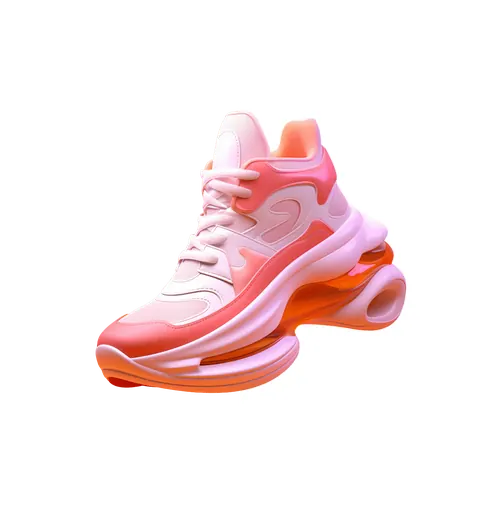
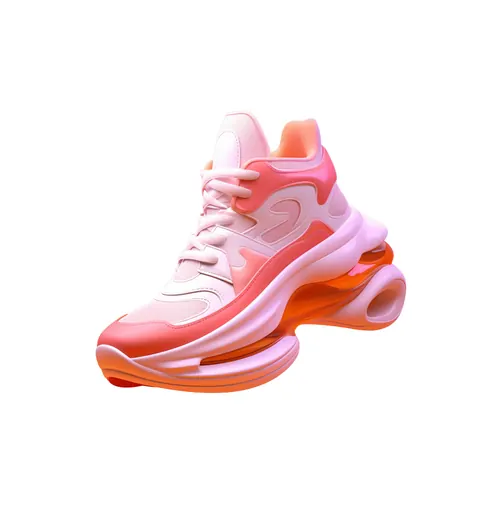
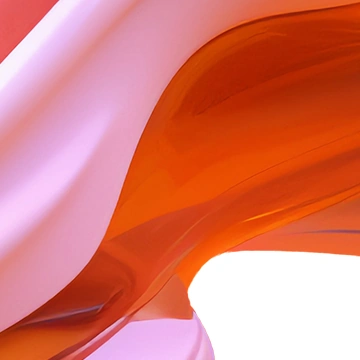
Zoomed to 100%: the same spot before and after

- 87% smaller
- Same 2,824 × 3,000 pixels
- Transparent area now white
JPG has no transparency, so the empty area becomes white, and the file is far smaller.
Actual output of this tool, measured on 16 October 2026. Sample image used under licence.
How to use it
- Add your PNG files.
- Pick a JPG quality and a background color for transparent areas.
- Press Convert, then download each JPG or a ZIP.
What PNG to JPG does
Re-encodes each PNG as a JPG at the quality you choose. Transparent pixels are filled with a background color, because JPG can’t store transparency.
When to use it
- A PNG screenshot or photo is too large to email or upload.
- A form only accepts JPG.
- You need a smaller file for a website and don’t need transparency.
Good to know
- JPG has no transparency. Transparent or semi-transparent areas are blended onto the background color you pick (white by default).
- Quality 90 is close to visually lossless for photos. Lower values make smaller files but can blur text and sharp edges.
- For screenshots with text, PNG often stays sharper; check the result before replacing the original.
Privacy
Your files are processed inside your browser and not uploaded to any server. Closing or refreshing the page clears them. We don’t keep copies.
Limitations
- Up to 10 files per batch, 50 MB each.
- Animated PNGs (APNG) are converted as their first frame.
Frequently asked questions
What happens to the transparent background?
It becomes the background color you choose, white by default. Choose a color that matches where the image will be shown.
What JPG quality should I use?
90 for photos you want to keep looking their best, 75–85 for web pages and email. Below 70, compression becomes visible, especially around text.
Can I convert the JPG back to PNG later?
Yes, but the PNG will be a copy of the JPG, including its compression and the filled background. Keep your original PNG if you might need transparency again.
What color replaces the transparent background?
White by default. You can pick any other background color before converting, for example to match the page the image will sit on.