AVIF to PNG Converter
Convert AVIF images to PNG, keeping transparent backgrounds intact, so you can edit them in any app.
- Free, no signup
- Files stay on your device
- No watermark
See it in action
A transparent sneaker saved as AVIF, converted to PNG.
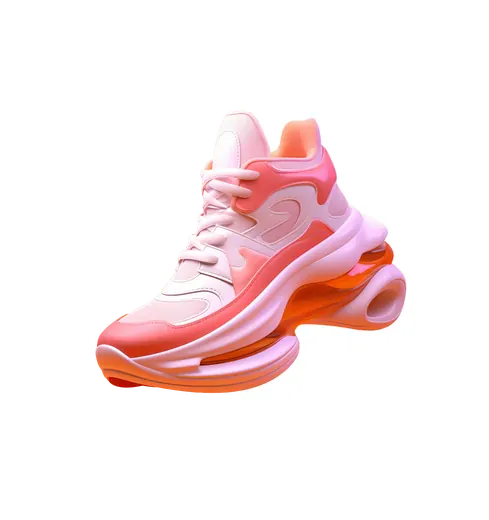
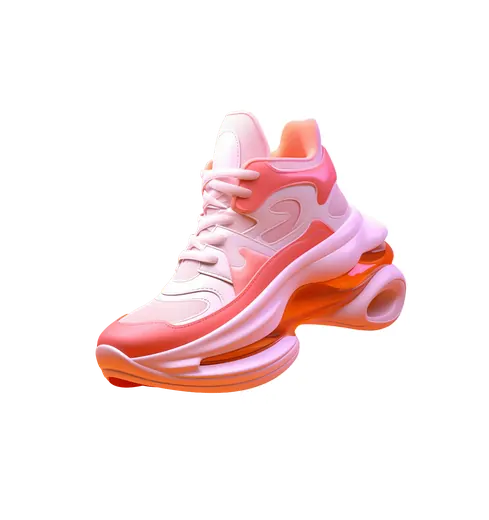
- Same 2,824 × 3,000 pixels
- Transparency kept
Transparency is kept. PNG is lossless, so it is larger than the AVIF.
Actual output of this tool, measured on 16 October 2026. Sample image used under licence.
How to use it
- Drop your AVIF files in, or choose them.
- Press Convert.
- Download each PNG, or all of them as a ZIP.
What AVIF to PNG does
Decodes each AVIF image in your browser and saves it as a lossless PNG at the same size, including any transparent areas.
When to use it
- You saved a logo, sticker or graphic as AVIF and need it with its transparent background.
- Your editor doesn’t open AVIF but does open PNG.
- You want a lossless copy before editing.
Good to know
- Transparency is kept exactly.
- Animated AVIF files convert their first frame.
- PNG files are larger than AVIF, especially for photos.
- Your browser must be able to display AVIF: current Chrome, Edge, Firefox and Safari 16 or later can.
PNG or JPG?
Pick PNG for graphics, logos and anything with transparency. Pick AVIF to JPG for photos you want to share, which gives much smaller files.
Privacy
Your files are processed inside your browser and not uploaded to any server. Closing or refreshing the page clears them. We don’t keep copies.
Limitations
- Up to 10 files per batch, 50 MB each.
- Very large images (over about 16 megapixels) may fail on some phones; you’ll see a clear message if so.
Frequently asked questions
Is the transparent background kept?
Yes. PNG supports full transparency, so transparent and semi-transparent pixels stay as they were.
Is anything uploaded?
No. The conversion runs on your device.
Why is the PNG so much bigger than the AVIF?
AVIF is one of the most efficient lossy formats, while PNG stores every pixel without loss. In our example, a 73 KB AVIF became a 2.4 MB PNG. That’s expected; use AVIF to JPG if you need a small file.
What happens with an animated AVIF?
The first frame is saved as a still PNG. The animation isn’t kept.